How to Blur Background in a Photo
I remember when I was first learning photography. I actually took a wonderful class at a community college to learn the basics. But as I started practicing at home, I quickly became dissatisfied because my images did not have the creamy, blurred backgrounds I desired. It took me a while to learn how to blur background in a photo.
In this post, I hope to fast track you to dreamy, bokeh filled images. With some simple tweaks, you will hopefully start taking photos that match your vision!

TL/DR: How to blur background in a photo
When trying to blur the background in a photos, what you’re trying to achieve is a “shallow depth of field”. This can be achieved by:
- Using a lens with a long focal length (i.e. 85mm, 100mm).
- Pulling the subject away from the background and getting closer to the subject you’re photographing.
- Using a wide aperture (i.e. f1.8, f2.8)
Let’s get technical!
Okay. I’m well aware that “blurred background” is not a technical term! I used that term in the title because I’m hoping for beginner photographers to find this blog post. (If you’re looking for a cheat sheet for exposure, click here.)
When talking about background blur, a better term to use is “depth of field.” For blur you’ll want a shallow depth of field.
Depth of field refers to the distance between farthest and nearest objects in the image that are in “acceptably” sharp focus. (This is an over-simplification. There’s literally an equation you can use to calculate your depth of field if you decide to dive that deep.)
An image can have a “shallow” or “narrow” depth of field; meaning that a small slice of the image is in tack sharp focus. Inversely, an image can have a “wide” or “deep” depth of field; meaning are larger chunk of the image is in focus.
Let’s pretend I’m photographing two parents, who are standing side by side. Their young child is standing a few steps in front of them. If I want all three of them to be sharply in focus, I’ll want a wider depth of field. If I want the child to be in focus and the parents to appear softly blurred in the background, I’ll want a shallow depth of field.
All of this to say, when you think “I need to figure out how to blur background in a photo”, what you’re really thinking is: “How can I better achieve the look of a shallow depth of field?”
There are 3 main factors that go into achieving a desired shallow depth of field that I’ll go into below!
1) How to blur background in a photo- Do you have the right lens?
When I was first practicing photography, it quickly became apparent that my kit lens was holding me back. (If you’re wondering what a “kit lens” is- it’s an inexpensive lens that comes bundled with the camera body as part of a starter kit. Some are better than others.)
Not all kit lenses are “bad”. Mine had a focal length of 18mm-55mm and an aperture of f3.5-5.6 that was well suited for some uses. It simply wasn’t well suited to capture the type of portraits I envisioned. I frequently struggled to let in a desired amount of light and wasn’t creating sharp, quality images.
Honestly, I’m typically slow to recommend upgrading lenses or other gear. It can be tempting to constantly upgrade gear when often education and practice would serve you better than trying a new camera or lens. However, in this case, you may benefit from examining whether your lens is part of the barrier to taking images with creamy, blurred backgrounds.

What lenses create blurred backgrounds?
Your lens’ focal length greatly impacts the depth of field. Lenses with longer focal lengths, such as 85mm or 100mm, naturally produce a more shallow depth of field required for images with blurred backgrounds. Lenses with shorter focal lengths such as 24mm or 35mm produce images with a deeper depth of field.
If you aren’t getting the results you want from your kit lens, consider upgrading to a lens with a longer focal length. I personally love my 85mm for portraits, but also frequently use a 28-75mm zoom lens.
2) Your distance from your subject and your subject’s distance from the background affect background blur.
Whether you have a lens with a long focal length or not, there are still ways to create a creamy background in a photo. When practicing how to blur background in a photo, play around with:
- Pulling your subject away from the background
- Getting closer to the subject you are photographing.
Pulling your subject further away from the background will move your subject and backgrounds into different focal planes. As an example, don’t place your child right next to the Christmas tree to take a holiday photo. Instead, if you’re wanting to create beautiful “bokeh balls”, pull your child several feet in front of the Christmas tree.
Likewise, if you’re wanting to maximize a shallow depth of field, step in close to your subject.


3. What’s your aperture?
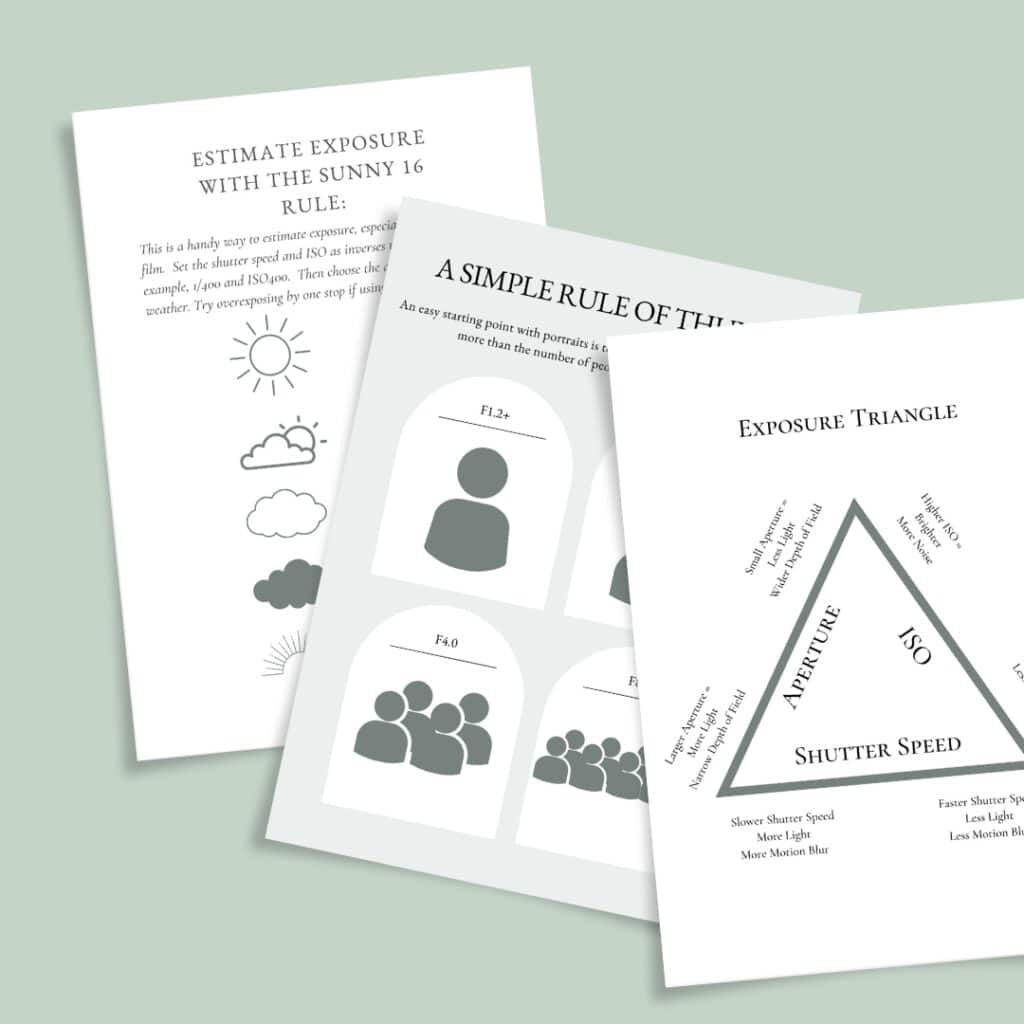
When considering how to blur background in a photo, the go-to setting that most photographers consider is aperture. If you’re new to shooting in manual mode, aperture refers to how small or large the opening in lens is. This is measured by an “f-number”. Your aperture setting works with shutter speed and ISO to determine exposure. When the aperture is wide open, more light is let into your camera. When it’s closed down, less light is let in.
However, exposure is not the only thing your aperture affects. Aperture also contributes to depth of field. A wide open aperture (small f-stop like f1.8 or f2.0) has a narrower depth of field. A closed down aperture (larger f-stop like f16 or f20) has a wider depth of field.
As a portrait photographer, I personally prefer to use a smaller f-stop/open aperture because it helps separate or isolate my subject from the background for a dreamy, blurred background look.

However, one must be careful and choose an aperture that’s appropriate for the subject. If you use an aperture that is too open, you risk losing focus and clarity in important parts of your image.
This is especially true when photographing groups of people. For example, if it’s a standard portrait where several people are smiling at the camera, I want the people in the back row to be in focus along with the people in the front row. If I use an aperture with a depth of field that is too shallow, I risk losing focus on some of the people in the image.
Want tips on choosing a good aperture? Check out my cheatsheet.
Conclusion: How to Blur Background in a Photo
I hope you’ve found this post helpful in learning how to blur background in a photo! Keep practicing and see how your work progresses. Photography is such a wonderful skill to learn. There’s always more to try! (You can read a little about my journey here.)
Looking for one-on-one mentorship via zoom? Let’s chat!

Read More:
